Concise answer
Businesses in ChatGPT, launched as a beta on 10 November 2026, lets verified businesses claim their ChatGPT profile, correct their details, add product feeds and see how often ChatGPT mentions them and sends clicks. If you are eligible, claim it, but treat recorded clicks as an upper estimate and check them against your own analytics. Eligibility for Indian businesses is still unclear, so fix your business details, structured data, crawler access and GA4 tracking now either way.
On 10 November 2026, OpenAI opened Businesses in ChatGPT as a beta. Through a dashboard called Business Hub, verified businesses can claim their profile in ChatGPT, correct their details, add product feeds, and see how often ChatGPT mentions them and sends people to their website.
That last part is the real news. Until now, the only way to measure ChatGPT's effect on your website was to dig through your own analytics. Business Hub is the first time OpenAI itself reports mentions and clicks for a business. What it does not show is the prompts behind them.
So should you claim your profile? If you're eligible, yes, but read the numbers carefully. And whether or not you can claim today, the groundwork behind it is worth doing now. Here's what launched, what the data can and can't tell you, where Indian businesses stand, and what we recommend.
What is ChatGPT Business Hub?
Business Hub (chatgpt.com/business-hub) is where a business claims and manages how it appears in ChatGPT. OpenAI pitches it as a way to reach the 1.2 billion people who use ChatGPT each week. Once your claim is verified, you can:
- Correct your business details, so ChatGPT has accurate information to draw on.
- Add product feeds with prices and availability.
- See insights on how people find and engage with you in ChatGPT.
- Build a Business Agent, if eligible. This is a branded chat assistant that answers customer questions inside ChatGPT. Agent conversations are labelled and kept separate from ChatGPT's own answers.
A verified profile also gets a blue checkmark. No fee for claiming or publishing has been announced.
How claiming works
- Sign in to ChatGPT, open Business Hub and search for your business.
- Prove it's yours. Reported options are a text or call to the main business number, a code to the business email, a DNS TXT record on your domain, or connecting a Shopify store. The options you see depend on your business.
- OpenAI reviews the claim. You then complete an identity check with Persona using a government-issued ID. Approval unlocks editing, insights and the checkmark.
The person managing the profile must own the business or be authorised to represent it. Existing OpenAI Enterprise customers and advertisers claim through their OpenAI representative. Shopify merchants can connect from Business Hub or from the Shopify admin.
One thing to be clear about: OpenAI says claiming does not guarantee higher placement or sales. A claim improves the information ChatGPT can use. It is not a ranking boost.
What the dashboard shows
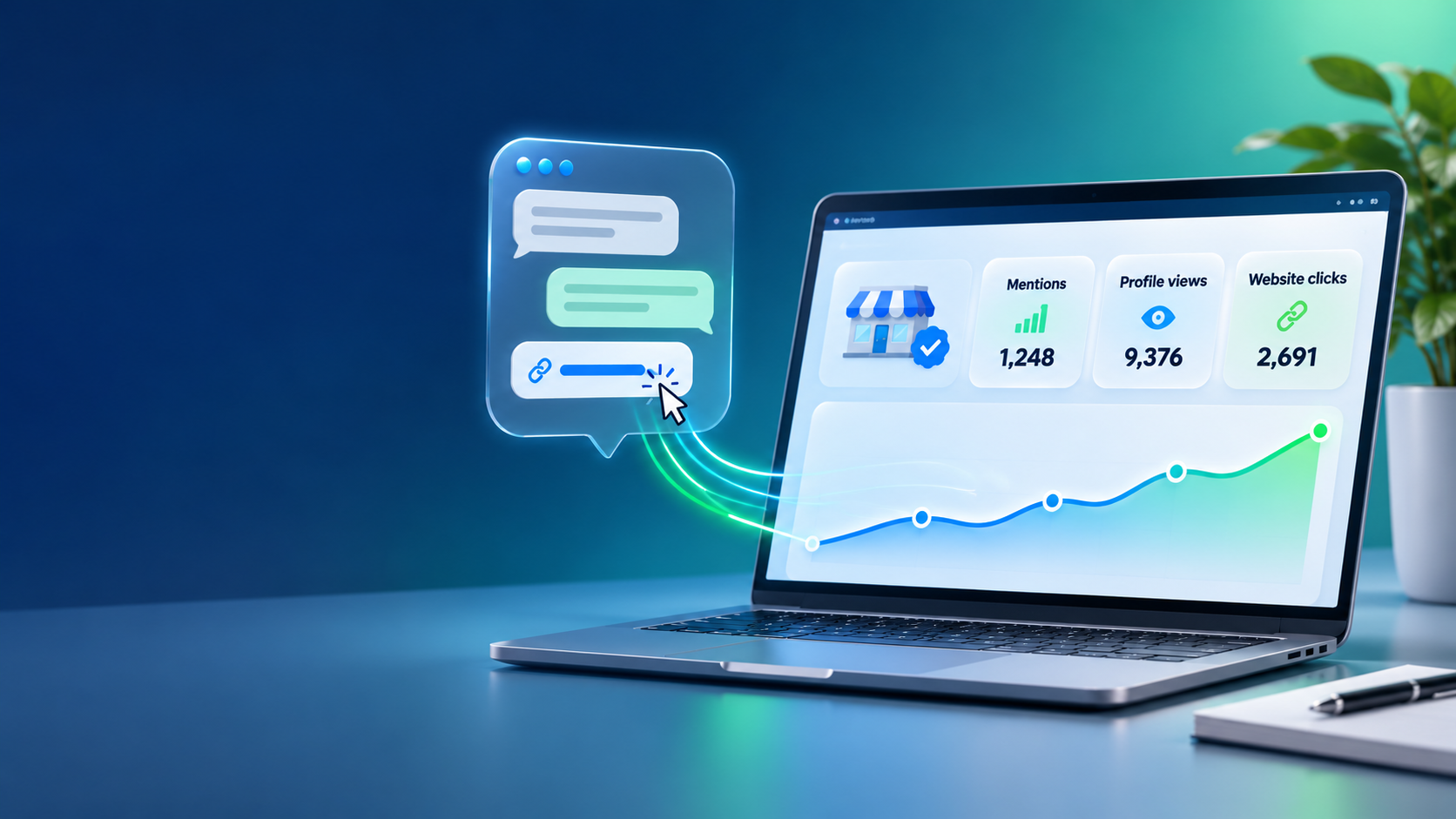
This is the first data OpenAI itself has given businesses on how often ChatGPT sends people to their sites. According to PPC Land's review of the dashboards, insights cover 7-day and 28-day windows and include a mentions trend chart plus these metrics:
| Metric | What it measures | Watch out for |
|---|---|---|
| Mentions | How often your business appears in ChatGPT responses | OpenAI hasn't publicly explained how repeat appearances are counted |
| Profile views | How often people open your ChatGPT profile | Shown in OpenAI's example, but missing from two live dashboards PPC Land reviewed |
| Website clicks | Recorded clicks on links to your website inside ChatGPT | A recorded click is not a confirmed visit (see caveats below) |
| Top discovery topics | The top five themes in conversations where your business or website appears | Grouped themes only, no actual prompts |
What early numbers suggest
The first live dashboards point to a large gap between being mentioned and being visited. One business, BuildUp Bookings, showed 690 mentions but only 24 clicks over 28 days. Another, Zianvo, showed 28 mentions and a single click.
Two dashboards prove nothing about your business. They do show why mentions alone are a weak success measure. Being named in an answer and getting a visitor are two different outcomes, and Business Hub now lets you see both.
The caveats, stated plainly
- A recorded click is not a visit. OpenAI's own tooltip says it: "Clicks don't confirm website visits or conversions." Someone can tap a link and leave before your page loads. Treat Business Hub clicks as an upper estimate and check them against your analytics.
- You won't see the prompts. OpenAI says it doesn't share users' conversations or Business Agent chats with businesses. You get counts and grouped topics, not the questions people asked.
- Small businesses may see nothing. Insights only appear once activity passes thresholds OpenAI hasn't disclosed. A blank metric doesn't mean zero.
- The data lags. Live dashboards reviewed on launch day were labelled "Data through Nov 9 (UTC)", which suggests a reporting delay.
- Business Agents are US-only for now. They are limited to eligible ecommerce and online-service businesses in the US. OpenAI says it plans to expand to more markets and categories, without giving dates.
- It's a beta. Metric definitions, eligibility and features may change.
- Read the terms before you agree. Reviews of the Businesses in ChatGPT terms note that OpenAI can create a listing for your business whether or not you claim it, and that you grant OpenAI a licence to display your basic details. Have someone read them before you click accept.
Can Indian businesses claim a profile?
It's unclear, and anyone who tells you otherwise is guessing. OpenAI's wording is that "any eligible business located where ChatGPT is available" can claim through Business Hub. ChatGPT is available in India. On 3 November 2026, OpenAI India MD Prabhjeet Singh told The Economic Times that India is now ChatGPT's largest market by weekly active users.
But "eligible" is doing a lot of work in that sentence:
- OpenAI hasn't published a list of eligible countries or business types. Eligibility depends on industry, location, and OpenAI's verification and integrity checks.
- Local businesses outside the US can't claim yet. OpenAI's setup guide reportedly limits local stores and restaurants to claiming an existing US listing for now. An Indian shop, clinic or restaurant with a physical address is likely to be shut out for the moment.
- Online businesses may be able to start. One Indian agency founder reported that his claim passed the domain check and was saved as a draft, pending identity approval. That's not the same as a verified profile.
- Waitlists are happening. PPC Land reported that at least one claim from outside the US was placed on a waitlist on launch day.
- No Business Agents. They're US-only for now, whatever kind of business you run.
If you run an online business or service in India, it's worth trying to claim. Just expect a waitlist or a long review.
Our take: claim it if you can, and fix the basics either way
If you're eligible, claim your profile. It lets you correct what ChatGPT says about you, keep product data current, and see real numbers. It also stops someone else from claiming your listing first. Just don't treat it as a ranking lever.
Whether or not India is covered yet, these steps are worth doing now. They help with ChatGPT, Google and every other AI assistant, and they are the same fundamentals we recommended in our look at whether AI search optimisation is worth it.
1. Make your business details accurate everywhere
ChatGPT builds answers from what it finds on the web. Check that your name, address, phone number, hours, services and policies match across your website, Google Business Profile, Bing Places, directories and social profiles. Conflicting details are the easiest problem to fix.
2. Clean up your structured data
Add or fix schema.org markup so machines can read your key facts without guessing:
OrganizationorLocalBusinesswith name, logo, URL, address, phone andsameAslinks to your social profiles.ProductwithOffer(price, currency, availability) on ecommerce product pages.FAQPageorServicewhere they genuinely fit the content.
Validate with Google's Rich Results Test or the Schema Markup Validator. To be clear, OpenAI hasn't said it uses schema to choose answers. It's good practice because it removes ambiguity for any system reading your pages.
3. Let OpenAI's search crawler in
OpenAI's crawler docs say sites that opt out of OAI-SearchBot won't be shown in ChatGPT search answers, apart from navigational links. Check that your robots.txt or firewall isn't blocking it by accident. GPTBot is a separate crawler used for model training, so you can block it while still allowing search:
User-agent: OAI-SearchBot
Allow: /

User-agent: GPTBot
Disallow: /
OpenAI says robots.txt changes can take about 24 hours to take effect for search.
4. Track ChatGPT referrals in GA4 properly
On 13 May 2026, Google added an AI Assistant channel to GA4's default channel group, covering referrers such as ChatGPT, Gemini and Claude. It helps, but it misses some ChatGPT traffic:
- The channel relies on a referrer, and many ChatGPT clicks arrive without one.
- ChatGPT adds
utm_source=chatgpt.comto links but noutm_medium. A tagged visit with no referrer can end up in Unassigned. - Around 8 to 15 October 2026, analysts reported that ChatGPT links lost the UTM tag and referrer for about a week, so those visits showed up as Direct.
The fix is a custom channel group. In GA4, go to Admin → Data display → Channel groups. Add a channel called "AI referrals" where Session source matches the regex chatgpt\.com|chat\.openai\.com, and place it above Referral. Add other AI tools to the regex as needed. Then compare your GA4 ChatGPT sessions with the clicks in Business Hub. The gap shows how many recorded clicks turned into real visits.
5. Record a baseline now
Note your current ChatGPT sessions, conversions and top landing pages. When Business Hub data arrives, or your claim gets approved, you'll have something to compare against.
Want to know if your website is ready for ChatGPT and other AI assistants? Our SEO, content and GEO team can audit your business details, structured data, robots.txt and GA4 setup, and our web development team can fix what the audit finds. Get in touch.
Frequently asked questions
Is it free to claim a business in ChatGPT?
No fee has been announced for claiming a profile or publishing a Business Agent. Sponsored agents run through ChatGPT's existing ad formats.
Will claiming my profile make ChatGPT recommend me more?
Not directly. OpenAI says claiming does not guarantee higher placement or sales. It improves the accuracy of the information ChatGPT can use about you.
Can I see what people asked ChatGPT before clicking to my site?
No. OpenAI doesn't share prompts or conversations. You see counts and grouped discovery topics.
Can an Indian business build a Business Agent?
Not yet. Business Agents are limited to eligible ecommerce and online-service businesses in the US.
Can our agency claim the profile for us?
The person managing the profile must own the business or be authorised to represent it, and must pass an identity check with a government-issued ID. In practice, the owner or a senior team member should complete verification. An agency can prepare the details, structured data and tracking beforehand.